How to Delete Your Shipshape Account
Before You Delete
We are sorry to see you go. Before you proceed, we want to make sure you understand exactly what happens when your Shipshape account is deleted. This is a permanent action, and most of the data cannot be recovered.
Here is what you lose:
- Your account. Your profile is deleted, along with every way you signed in.
- Each home you own alone. The home is deleted, with its appliances, gateways and sensors, alerts and maintenance reminders. Its equipment history, sensor readings, Home Health Record and Home Health Score are no longer available to you in the app.
- Service professional access. Your service professional will no longer see that home's data, alerts, or history in Shipshape.
- Active monitoring subscription. Your paid monitoring plan is cancelled when you delete your account, and you won't be charged again.
We may keep some records for archival, legal or fraud-prevention reasons. See Data and Privacy below.
If you share your home in the app, it does not disappear with your account. If another owner or a family member shares your home, the home and its data stay with them, and a family member becomes its owner if needed. If no owner or family member is left, the home is deleted with your account.
Consider Reaching Out First
If you are thinking about deleting your account because something is not working right, we would love the chance to help. Common issues that feel like deal-breakers often have simple fixes:
- Too many notifications? You can customize exactly what SAM tells you about in Settings. See our notification settings guide.
- Not using the app much? That is actually fine. SAM works in the background and will reach out when something matters. You do not need to check in regularly.
- Having a technical issue? Our support team can troubleshoot sensor problems, app glitches, and connectivity issues.
- Moving to a new home? You can transfer your Shipshape system to the new owner or set up a fresh profile at your new address. No need to delete.
- Changing service professionals? Contact support. You can switch without losing your home data.
Contact Shipshape support before deleting. We may be able to resolve whatever is driving the decision.
How to Delete Your Account
If you have decided to move forward, you can delete your account in two ways.
In the App
-
Open the Shipshape app on your phone.
-
Tap the Menu icon (three lines in the top corner).
-
Tap your name at the top of the menu, where it says Manage your Account.
-
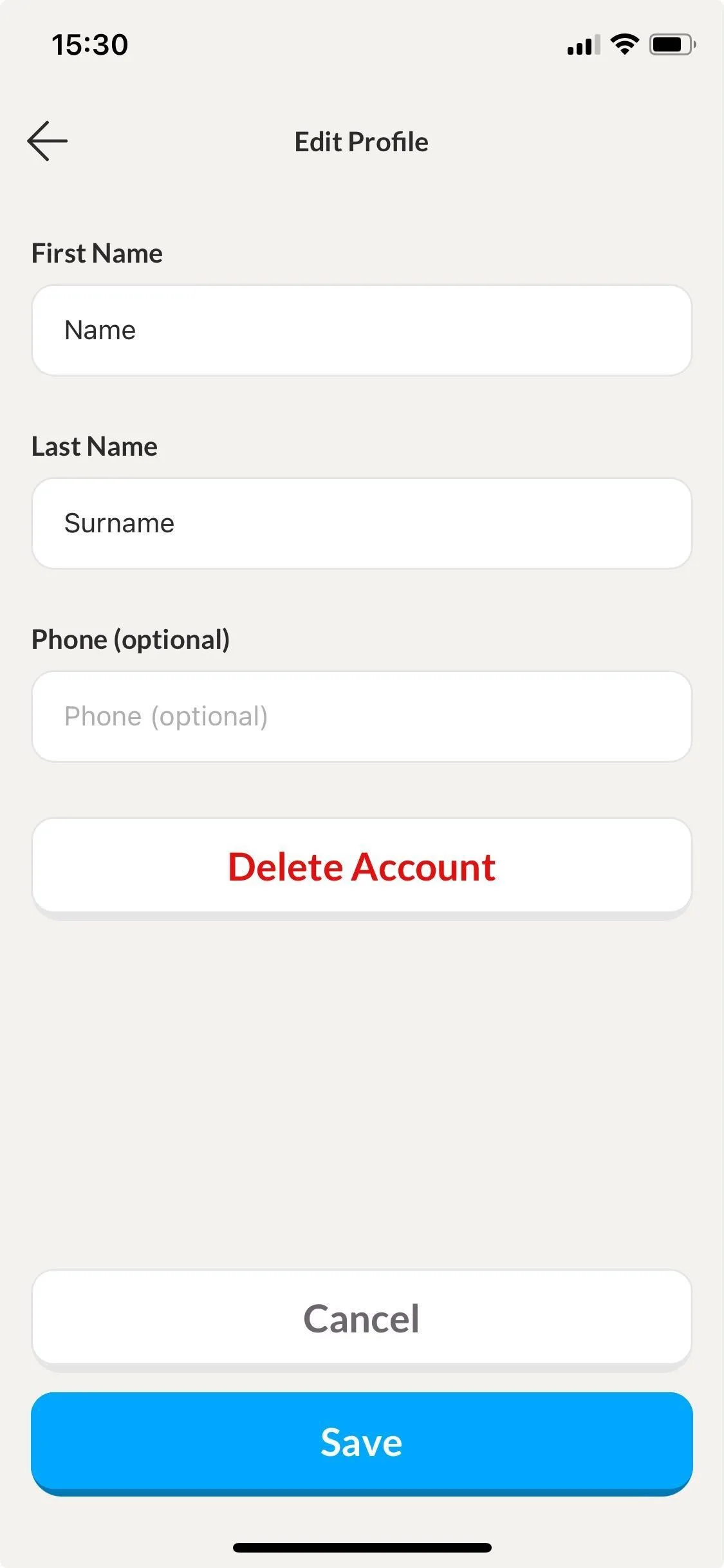
Tap the pen icon at the top right to edit your profile.
-
Tap Delete Account.
-
Read the warning, then tap Yes Delete My Account.
By Request
You can also contact us using the email address on your Shipshape account and ask us to delete your account.
Deleting Can't Be Undone
There's no waiting period. Once you tap Yes Delete My Account, your account is deleted and it can't be undone. You also lose every way you signed in, whether that's Apple, Google, or email and password.
Not sure yet? Contact support before you delete.
What About the Hardware?
If your Shipshape system was installed by a service professional, the sensors and gateway hardware remain your property. Deleting your account does not change that.
If your home is deleted with your account, its gateway and sensors are removed from Shipshape and are no longer monitored.
You have a few options for the hardware:
- Leave it in place. The sensors are non-intrusive and will not interfere with anything. They simply won't be monitored.
- Remove it yourself. Plug-in devices and battery sensors come off easily. Leave anything wired into your electrical panel, such as an energy meter or a heavy-duty switch, to an electrician.
- Coordinate with your service professional. If you prefer, your pro can remove the hardware during a regular service visit.
If you are selling your home and the new owner wants to use Shipshape, you can hand the whole system to them from the app. No need to call anyone. See Transfer Your Home to a New Owner.
Data and Privacy
When your account is deleted:
- We delete your personal information, but we may keep some records for archival, legal or fraud-prevention reasons. Our Privacy Policy explains when.
- Anonymized, aggregated data (such as statistics about equipment lifespans across all homes) may be kept.
- The service professional connected to your home keeps their own records under their own privacy policy.
Questions about your data? Email privacy-requests@shipshape.ai.
Need Help?
If you have any questions about deleting your account or your options, reach out to Shipshape support. We are here to help, whether you decide to stay or go.